

Quick Answer
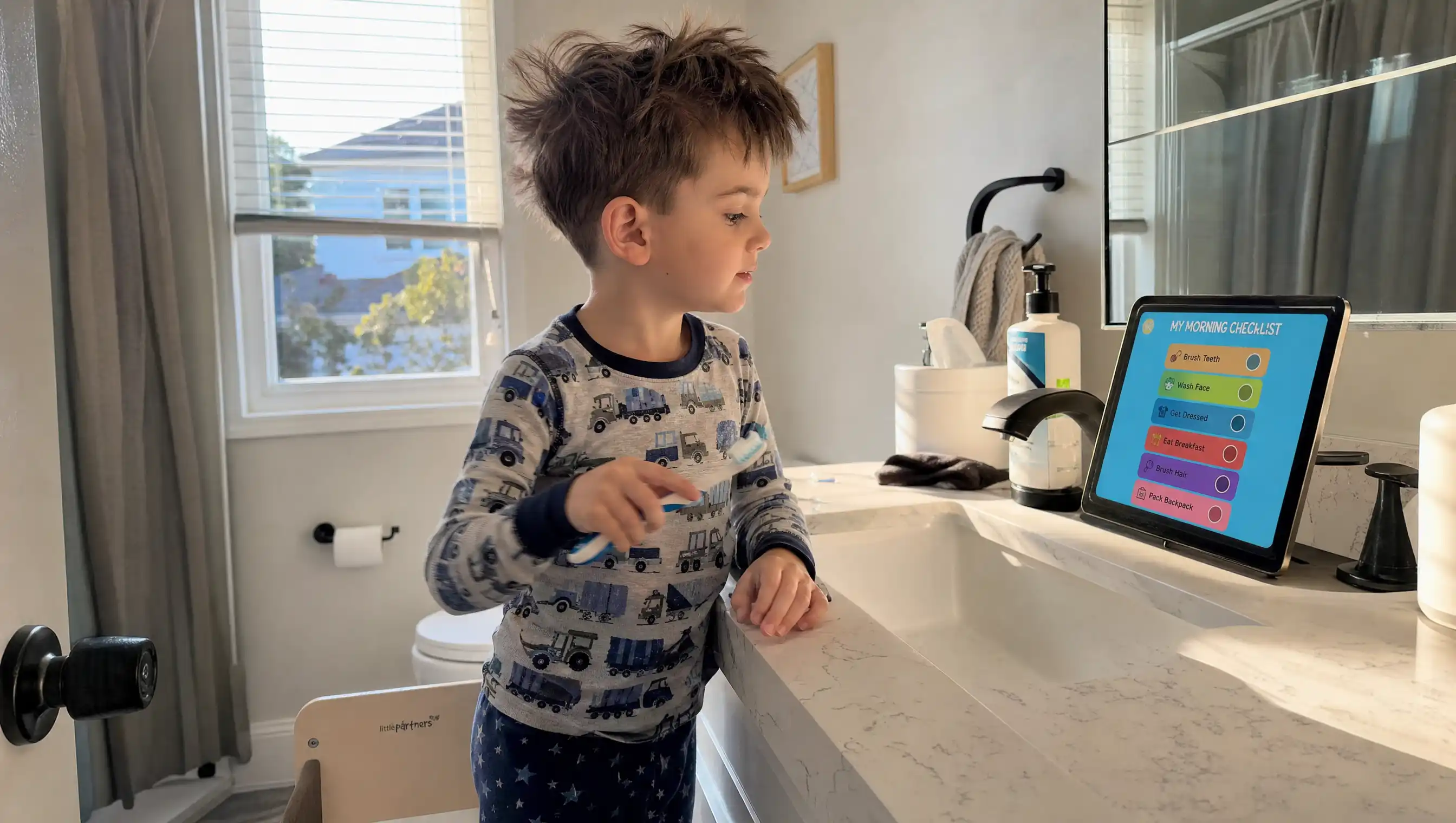
After testing 15 morning routine apps for kids across one full school week, First Gadget takes the #1 spot for its Screen-to-Real philosophy — the only app that transitions children FROM the screen TO real-world tasks (brushing teeth, getting dressed) with zero turn-off tantrums.
Top alternatives: Goally (best for ADHD & autism, $369 tablet), Brili Routines ($7.99/mo, ADDitude-recommended), Choiceworks (therapist gold standard, $29.99), and Happy Kids Timer (good free option).
We graded each app on three pediatric metrics: Overstimulation Risk, Clean Exit Quality, and Offline Skill Transfer.
The 6:47 AM problem
It's 6:47 AM. Your 5-year-old can't find his shoes. Your 8-year-old is still in pajamas watching cartoons. The cereal is everywhere except the bowl. And you — you haven't even had coffee yet.
After testing 15 morning routine apps for kids over one full school week, we found that most of them fail at the one job they promise: getting your child off the screen and out the door. In our testing, most apps functioned as glorified digital sticker sheets — keeping the child glued to the screen rather than bridging them to real-world tasks like getting dressed.
- Overstimulation Risk — does it trigger dopamine loops, push notifications, or "just one more level" design?
- Clean Exit Quality — how willing is the child to put the device down when the routine is done?
- Offline Skill Transfer — does the child actually DO the morning tasks, or just watch animations about doing the thing?
Each metric was scored on a 1–6 scale (1 = poor, 6 = excellent). The highest combined score wins. Bonus points went to apps that built independence rather than screen time. Penalty points went to anything with ads, manipulative retention loops, or surprise in-app purchases aimed at tired parents.
Only one app scored well on all three — and the reason has nothing to do with features. It has a talking fox named Kevin, and a philosophy called Screen-to-Real.
Here are the 15 apps we tested, ranked from best to "not worth the download." (If you want a broader morning routine strategy first, see our guide: 15-Minute Morning Routine for Preschoolers.)
How we scored them (and why you should care)
The three metrics we used come directly from clinical frameworks used by occupational therapists (OTs) and speech-language pathologists (SLPs) for habit-formation tools, adapted from visual schedule protocols supported by the American Academy of Pediatrics (AAP) and the Child Mind Institute:
Scores are 1 (poor) to 6 (excellent). Higher is better. Maximum score: 18/18.
A note on bias: this article mentions First Gadget first because it had the highest combined score. The trade-offs below are real, and one size doesn't fit all families.
Want the short version? See the #1 pick on the App Store →
Hero Matrix: The 5 Apps That Actually Work
#1 — First Gadget.
Best Overall, Screen-to-Real
- Platform: iOS, Android
- Age: 3–8
- Price: Free tier + $4.99/week premium
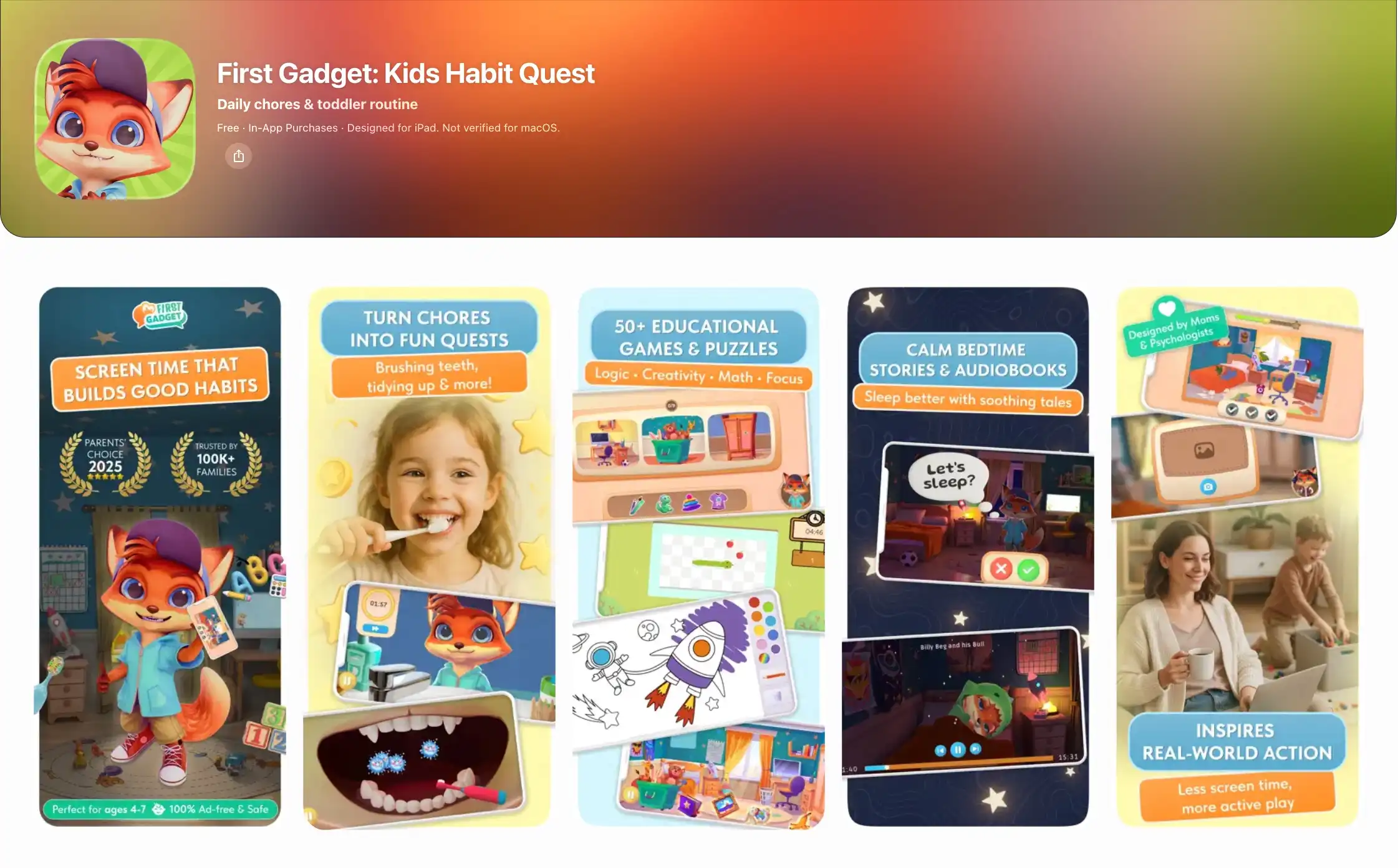
What it does: First Gadget is built around a single, almost counterintuitive idea: the screen is a launchpad, not a destination. Kevin the Fox walks your child through a short morning "quest" — get dressed, brush teeth, eat breakfast, pack the bag — and then the app ends and the kid goes and does the things. The screen is the briefing. Real life is the mission.
What sold us wasn't the character. It was the metrics. On Overstimulation Risk, First Gadget scored a 6 — zero ads, zero manipulative retention loops. The premium tier is a flat subscription, not a casino of in-app purchases. On Clean Exit Quality, our 5-year-old handed the tablet back without protest five days in a row. On Offline Skill Transfer, the highest score of the bunch: by Wednesday he was reciting the steps at 6:50 AM without prompting. Kevin wasn't a reward; Kevin was a checklist.
The psychologist-designed architecture shows. There's a parent portal showing what your child actually completed (not what they tapped on), 50+ mini-games that are deliberately short and finite, and audiobooks that don't auto-advance. For parents exhausted by screen-time guilt, First Gadget is the rare app that earns its 5–10 minutes.
Try it free: Download First Gadget
Not ideal for: Kids older than 8, who may want more complexity and ownership over their routine. If you have a tween or preteen, look at Brili or Goally — both are designed for that age range.
Our score: 18 / 18
#2 — Goally.
Best for Kids with ADHD & Autism (Premium Tablet)
- Platform: Dedicated tablet + companion iOS/Android app
- Age: 3–12
- Price: $369–$449 tablet (one-time) + $9/month subscription per child
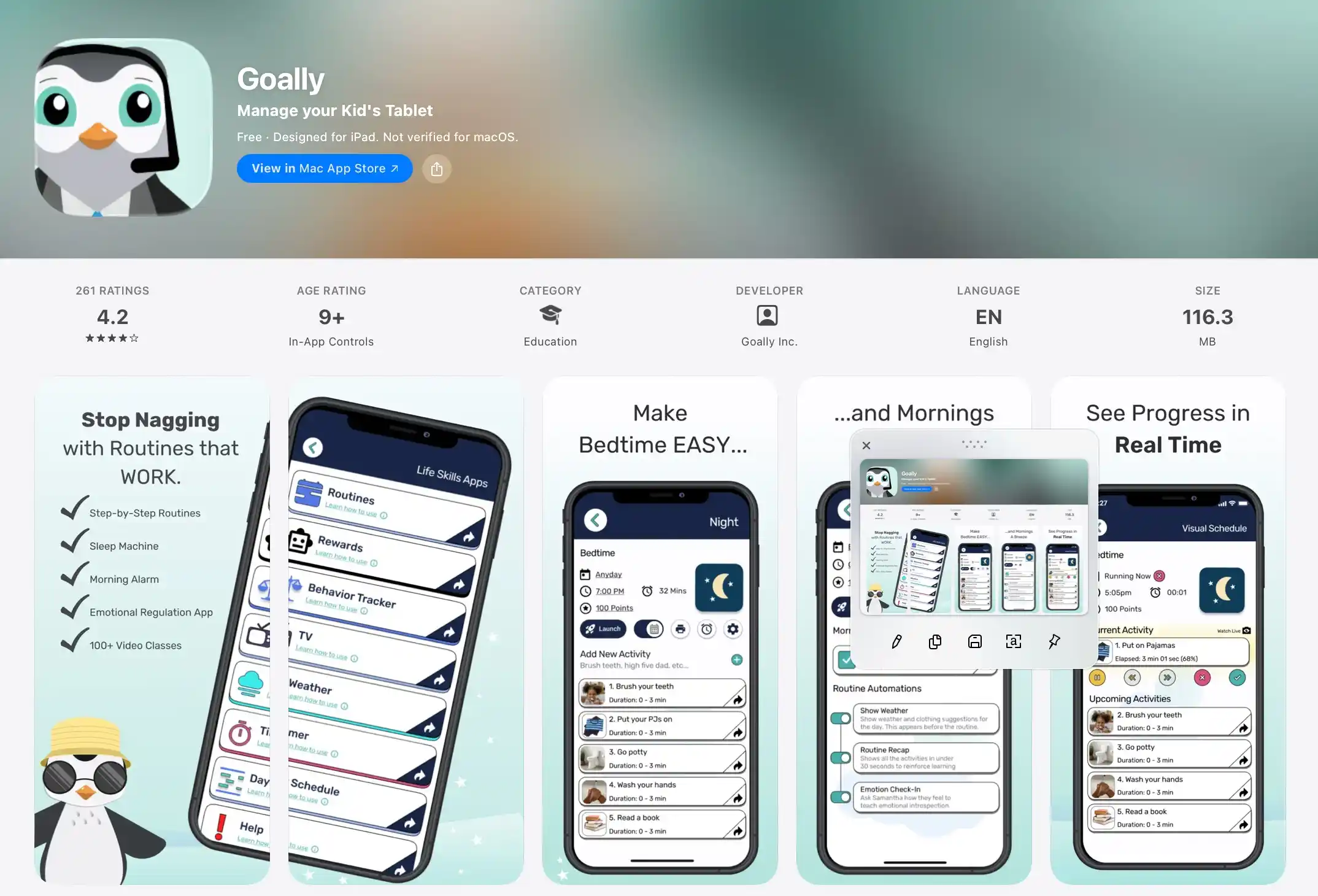
Goally is a serious piece of hardware built for serious clinical needs. The dedicated tablet comes locked down — no YouTube, no Roblox, no escape hatch into general screen time — and pre-loaded with visual schedules, video modeling, and a reward points system that occupational therapists actually recommend. If you have a child with diagnosed ADHD or autism and you've been winging it with the family iPad, Goally is the closest thing to a clinical-grade intervention you can buy without a prescription.
That said, some parents find the price tag hard to justify if their child doesn't have a clinical diagnosis. Independent reviews often point out that the locked-down tablet, while powerful for the right family, can feel like overkill for a neurotypical kid who just needs to remember to put on shoes. The $9/month per-child subscription also adds up faster than app-only alternatives.
For neurodivergent families who need a structured, single-purpose device, Goally is unmatched. For everyone else, First Gadget achieves much of the same visual-routine benefit on the iPad you already own, with Kevin the Fox guiding the child gently off the screen and into the morning.
See how First Gadget compares for neurodivergent kids → Try free
Not ideal for: Families without special needs, or anyone put off by a $369–$449 device plus ongoing subscription fees.
Our score: 15 / 18
#3 — Brili Routines.
Best ADHD-Focused Subscription
- Platform: iOS, Android
- Age: 4–12
- Price: $7.99/mo · $34.99/6mo · $49.99/year (30-day free trial)
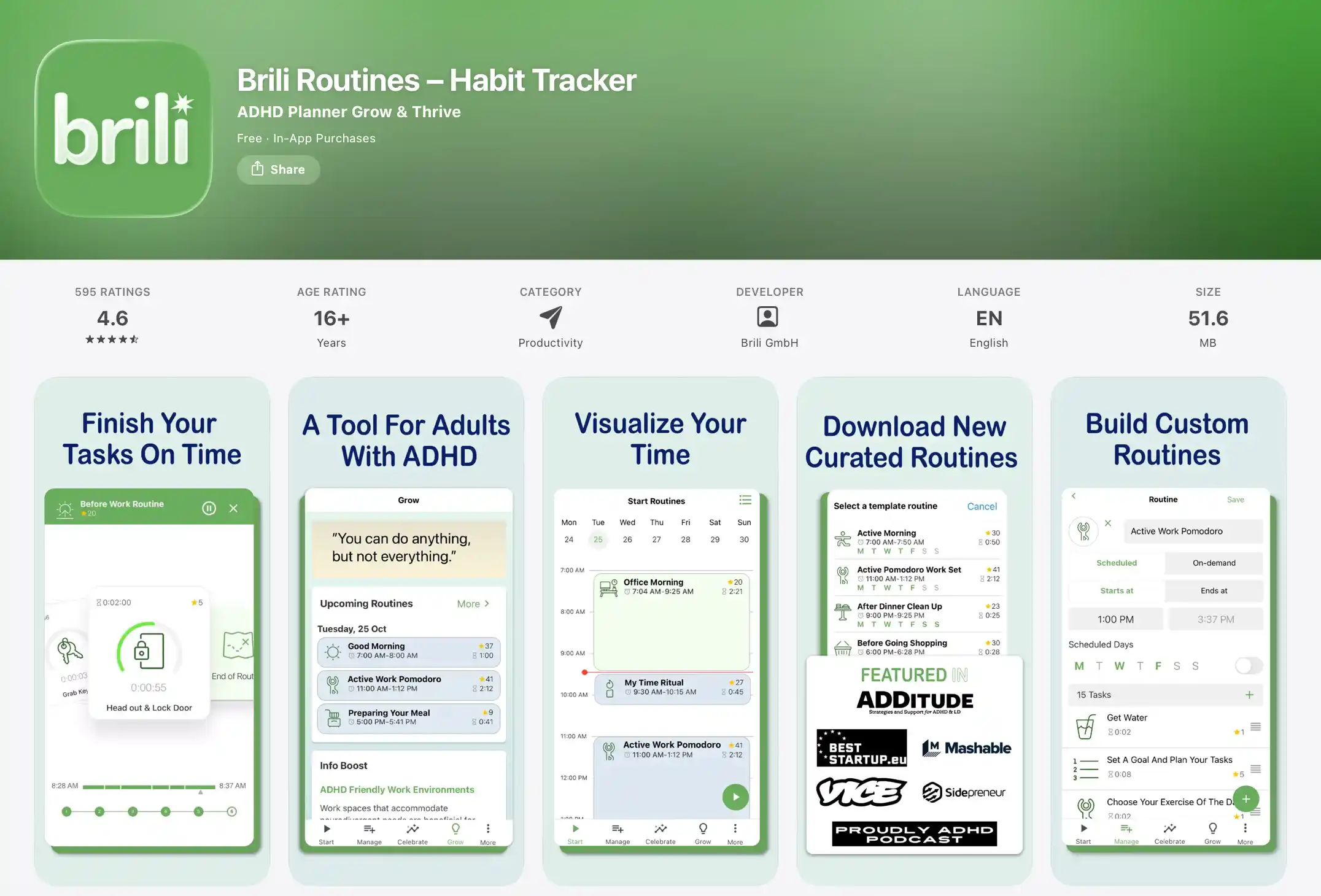
Brili is the routine app ADDitude Magazine keeps recommending, and for good reason. The ADHD-specific timer approach is the real deal: it doesn't just count down, it adapts to how long your child actually took last time, building a realistic picture of what 8 minutes of teeth-brushing looks like in your house. The visual routine builder is flexible, the gamification (points, streaks) is gentle, and separate parent and child apps keep configuration off the kid's screen. Pre-built morning and bedtime routines mean you can be up and running in 10 minutes.
As noted in App Store reviews, kids without ADHD sometimes find the constant timer pressure stressful rather than helpful — the visual countdown is motivating for some children and anxiety-inducing for others. The subscription model also compounds for families with multiple kids, since the math is per-device.
Where Brili is built for clinical outcomes, First Gadget is built for the everyday American household. If your child doesn't have a clinical diagnosis and you're not paying for therapy, the Screen-to-Real approach gets you 80% of the structure without the timer anxiety or the monthly bill.
Want the calmer, screen-free morning? Get First Gadget free →
Not ideal for: Kids without ADHD who find countdown timers stressful; multi-child families watching the subscription cost climb.
Our score: 14 / 18
#4 — Choiceworks.
Therapist Gold Standard
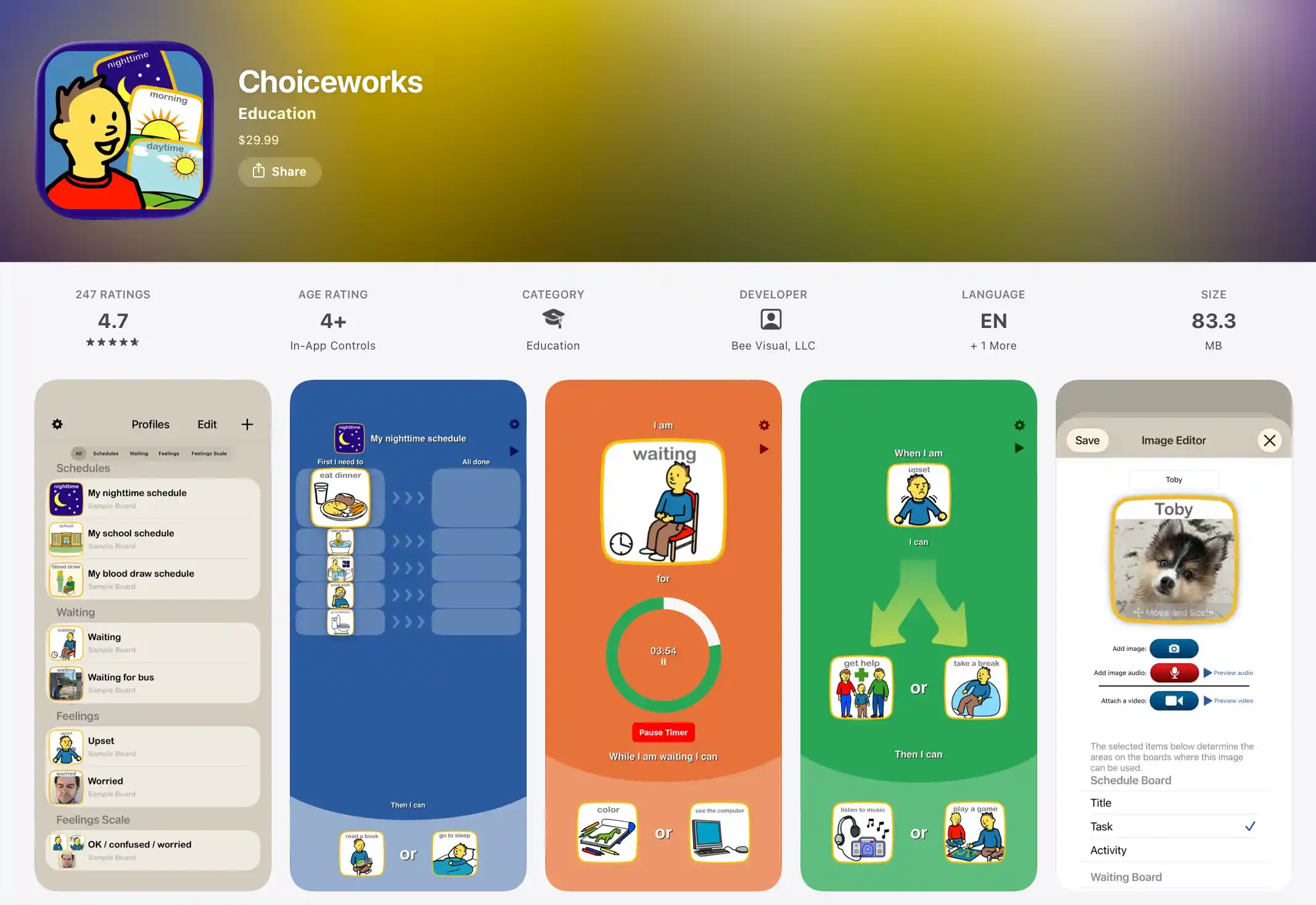
- Platform: iOS only (no Android)
- Age: 2–12
- Price: $29.99 one-time purchase
Choiceworks is the app you'll hear about in OT and SLP offices before you ever see it in the App Store top charts. It's been around for years, recommended by therapists for almost as long, and it does one thing beautifully: visual schedules, with 180+ built-in images and audio clips, plus the option to record your own voice saying "brush your teeth, sweetie" so the routine sounds like you, not a stranger.
The catch: it's iOS only, and some parents describe the UI as dated — feeling like a clinical tool from a previous decade, which can be a turn-off for kids expecting a more modern experience. Non-clinical families sometimes describe it as "the therapist app" — accurate, but not what a 5-year-old wants to look at.
For a one-time $29.99, no subscription, Choiceworks is a steal for iOS households, especially with a neurodivergent child. If you want the same visual-schedule rigor paired with a character kids actually want to follow, First Gadget covers similar ground in a more modern package, with Kevin the Fox adding warmth that Choiceworks' image library can't match.
Not ideal for: Android households (it simply isn't there); non-clinical families who want a more polished, game-like experience.
Our score: 14 / 18
#5 — Happy Kids Timer.
Best Free Visual Timer
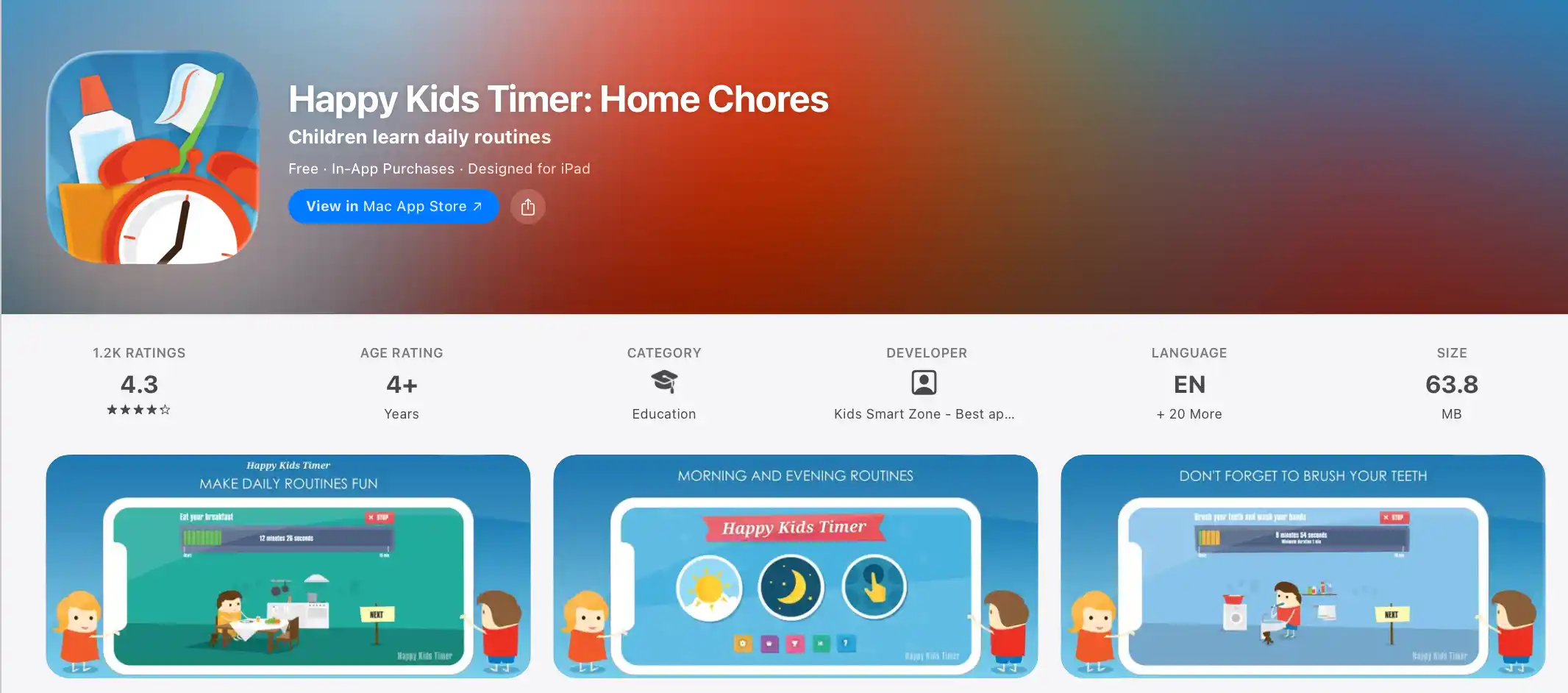
- Platform: iOS, Android
- Age: 3–7
- Price: Free + $1.99 IAP for premium
Happy Kids Timer is the friendliest free option we found, and for many families it's the right starting point. Pre-built morning and bedtime routines, a clear visual countdown, cute animations, and the ability to add custom activities with photos (your kid's actual toothbrush, their actual school bag) make it feel personal in a way most free apps don't. It also works offline, which matters in households that don't hand a Wi-Fi password to a 4-year-old.
Independent reviews often point out that the free version is limited, and the $1.99 in-app purchase to unlock premium is the kind of friction that adds up — but the underlying free experience is genuinely usable. The animations, while charming, also keep the child on the screen a bit longer than necessary, which gave it a slightly lower Overstimulation score than our top picks.
If you want a free, no-frills visual timer for a younger child, Happy Kids Timer is excellent. If you want the same visual-cue clarity plus a clear "off the screen, into the bathroom" transition, First Gadget's free tier includes the core routine features and adds the Screen-to-Real handoff that Happy Kids Timer is missing.
Not ideal for: Older kids (7+) who need more than a timer; families who want a fully featured free experience without IAP gating.
Our score: 13 / 18
Deep Dive: 5 More Apps Worth Knowing
#6 — Routiny.
Best for Preschoolers
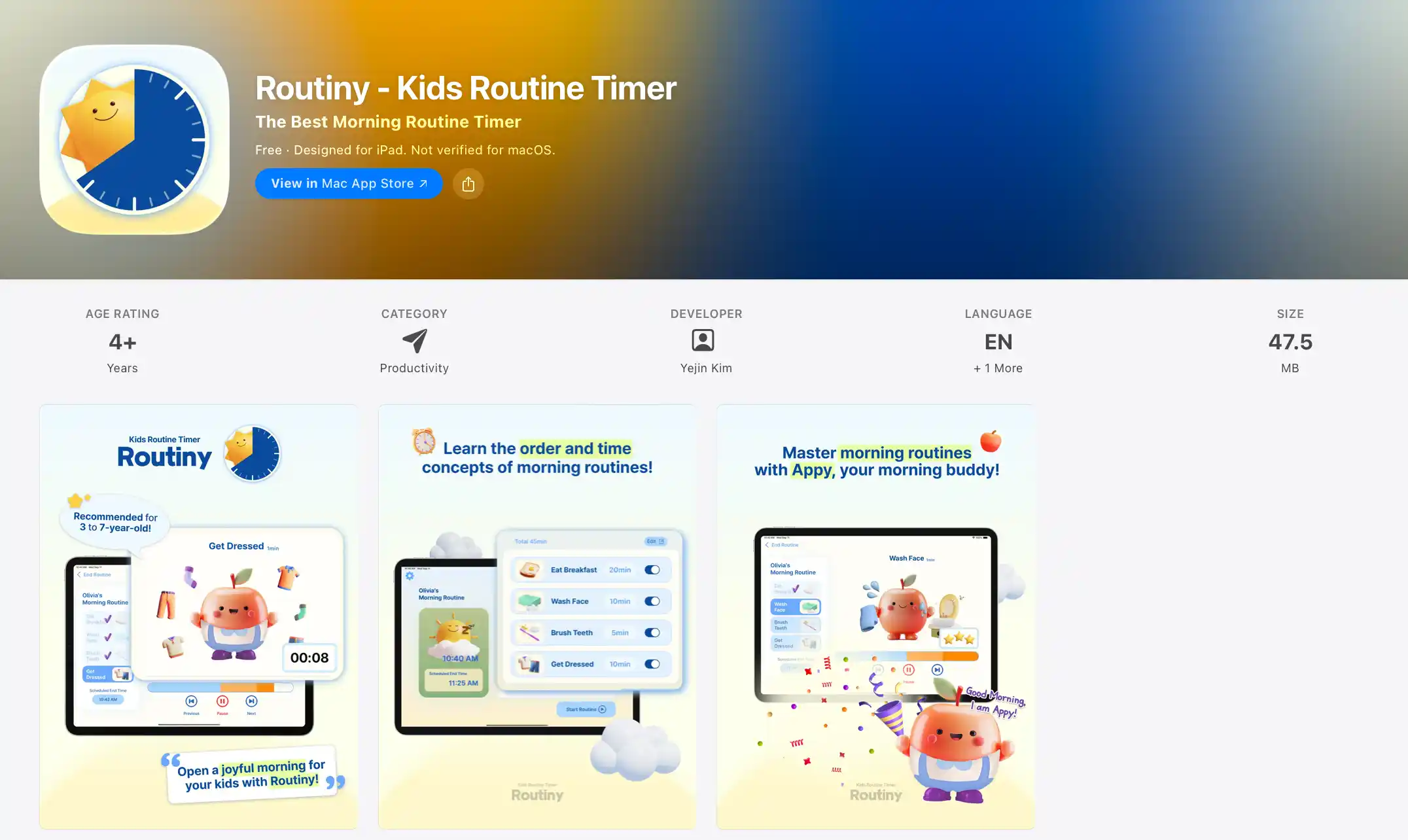
- Platform: iOS only
- Age: 3–5
- Price: Free, with premium features
Routiny knows exactly who it's for: the under-5 set. Picture-based step-by-step guides, playful character themes, and parent-set time limits per task make it almost impossible for a 3-year-old to get lost. The interface is calm, the colors are gentle, and progress tracking gives parents a useful window into what actually happened.
Some parents find the iOS-only availability limiting, and the free version is more of a trial than a tool — the premium features are where the real value lives. The app is also light on any explicit "go do it in real life" moment, so it works best when a parent is physically there to do the handoff.
For a 3-year-old taking their first steps toward independence, Routiny is a lovely on-ramp. By age 5 or 6, most kids are ready for the deeper structure of First Gadget, where Kevin the Fox closes the routine and the child walks away with a clear next step in real life.
Not ideal for: Android households; families who want a fully-featured free experience; kids older than 5.
Our score: 12 / 18
#7 — Lil Planner.
Built by an Autism Parent, ADHD-Focused (Free)
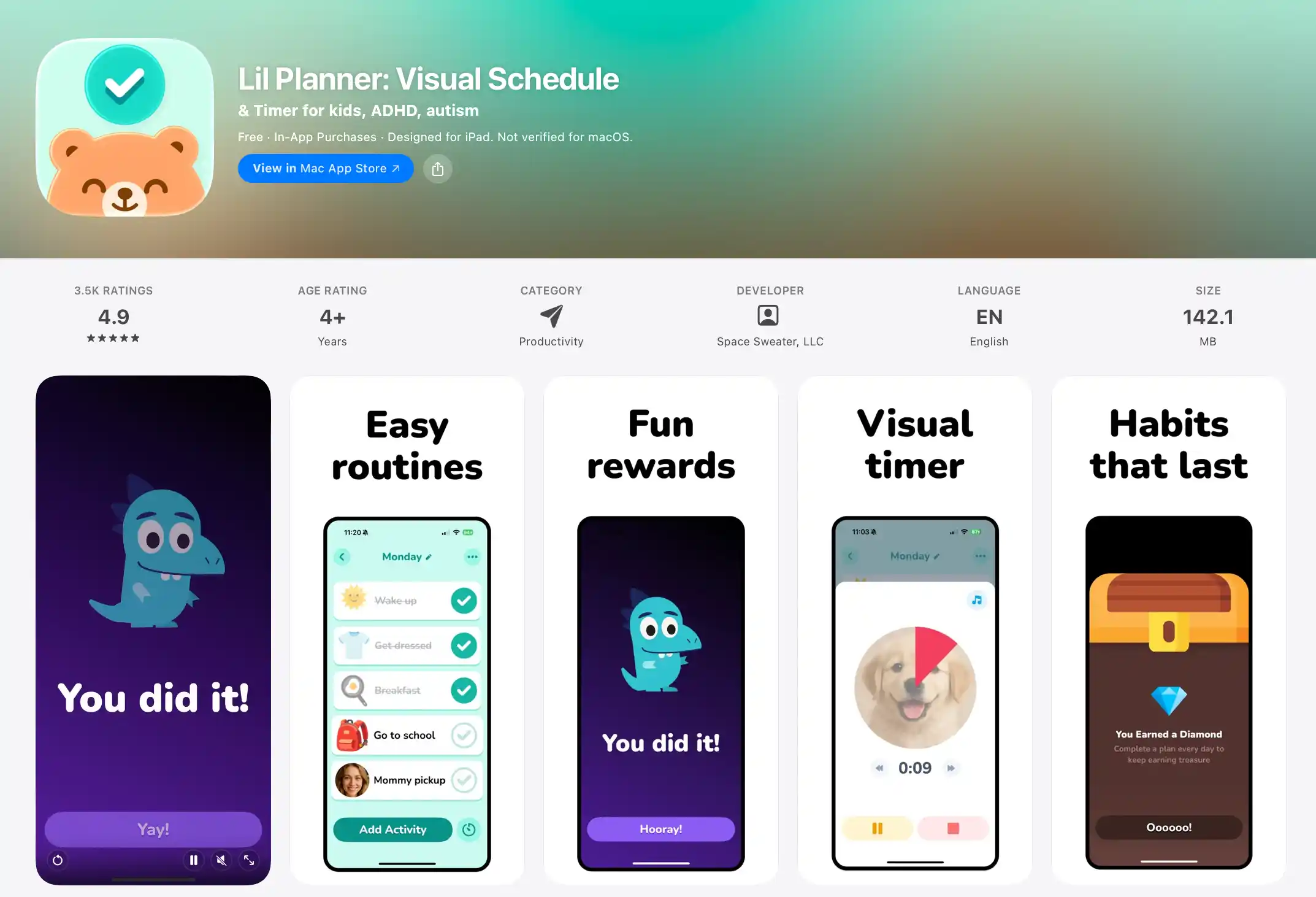
- Platform: iOS, Android (soon)
- Age: 3–10
- Price: Free, with premium subscription
Lil Planner was built by a parent of an ADHD child, and that origin story shows in every screen. The drag-and-drop visual schedule builder is forgiving, the reward animations are satisfying without being addictive, and the calm ADHD-friendly UI is a small miracle of restraint — no spinning coins, no "level up!" explosions. Morning, afternoon, and evening templates are pre-built, and parent progress tracking is genuinely useful.
As noted in App Store reviews, the Android version is still rolling out, and the free tier covers the basics while the premium subscription unlocks the deeper customization that ADHD families typically need. The app doesn't lean hard into a "go do it offline" moment — it's better at building the schedule than at closing the device.
For ADHD families who want a calm, parent-built alternative to Brili, Lil Planner is outstanding. For families who want the schedule and the screen-to-real handoff in one place, First Gadget layers the same calm visual design with Kevin the Fox's character-led transition out of the app and into the morning.
Not ideal for: Android users waiting for the full release; families who want more than schedule-building in a single product.
Our score: 14 / 18
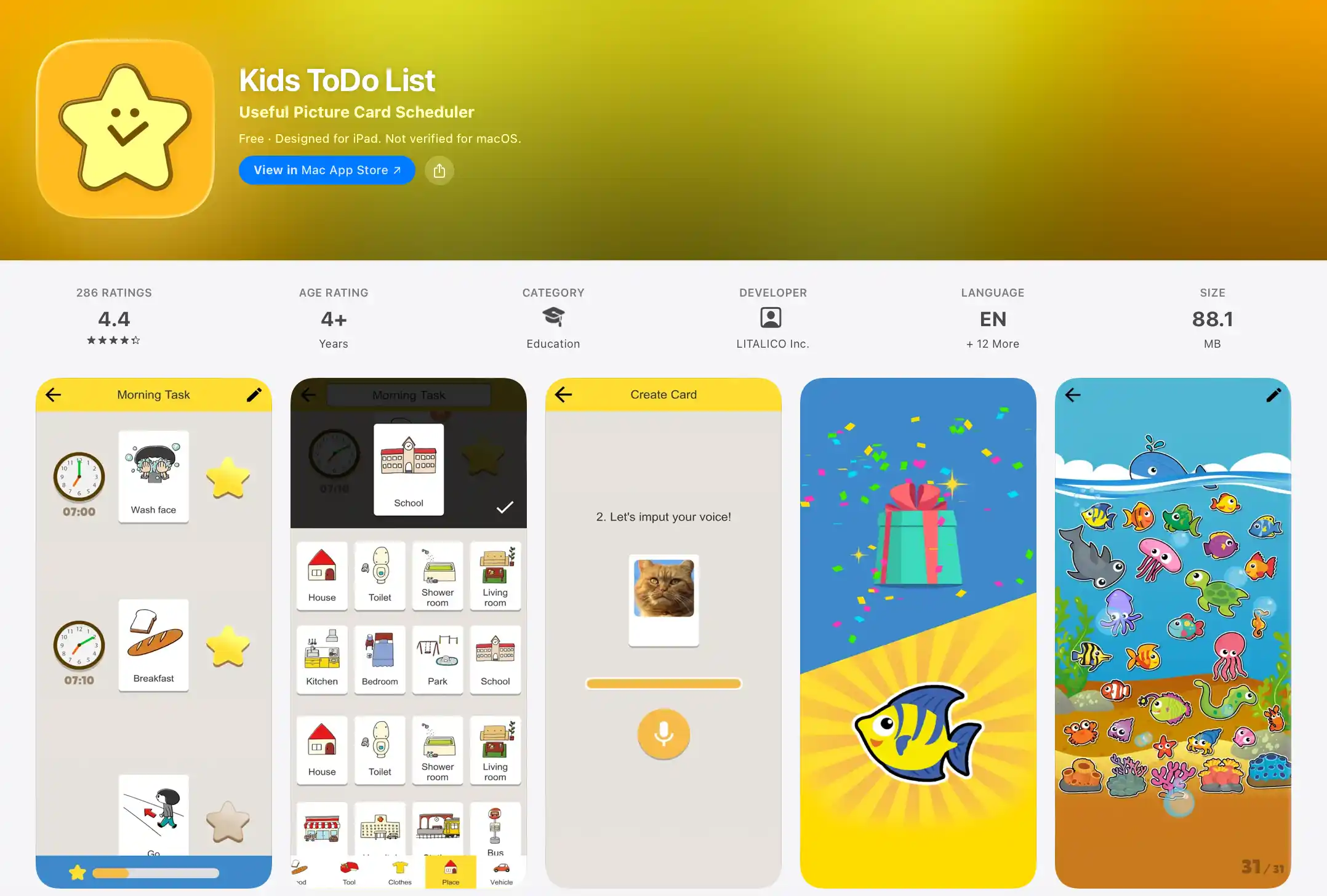
#8 — Kids To-Do List (LITALICO).
Best for Pre-Readers
- Platform: iOS, Android
- Age: 3–7 (perfect for pre-readers)
- Price: Free
Kids To-Do List comes from LITALICO, a Japanese special-education company, and it shows: the interface is built for children who can't read yet. Every card is a picture, every card has a voice sound, and the drag-and-drop arrangement is simple enough for the youngest members of the household. There are no in-app purchases, no premium tier, no upsell — just a tool that does the job.
Independent reviews often point out that the design feels more functional than delightful — the app is utilitarian, not charming, which is fine for some kids and a non-starter for others. It doesn't push the child back into the real world; the routine is a list, and the transition is on the parent.
If you need a free, no-nonsense visual checklist for a pre-reader, this is one of the best. For a child who responds better to a character than a card, First Gadget uses picture-based tasks too, but wraps them in Kevin the Fox's voice and an explicit Screen-to-Real closing moment that turns the checklist into a launchpad.
Not ideal for: Kids who respond better to characters and stories than to image cards; families who want built-in reward mechanics.
Our score: 12 / 18
#9 — Little Wins.
- Platform: iOS, Android
- Age: 3–9
- Price: Free with premium features
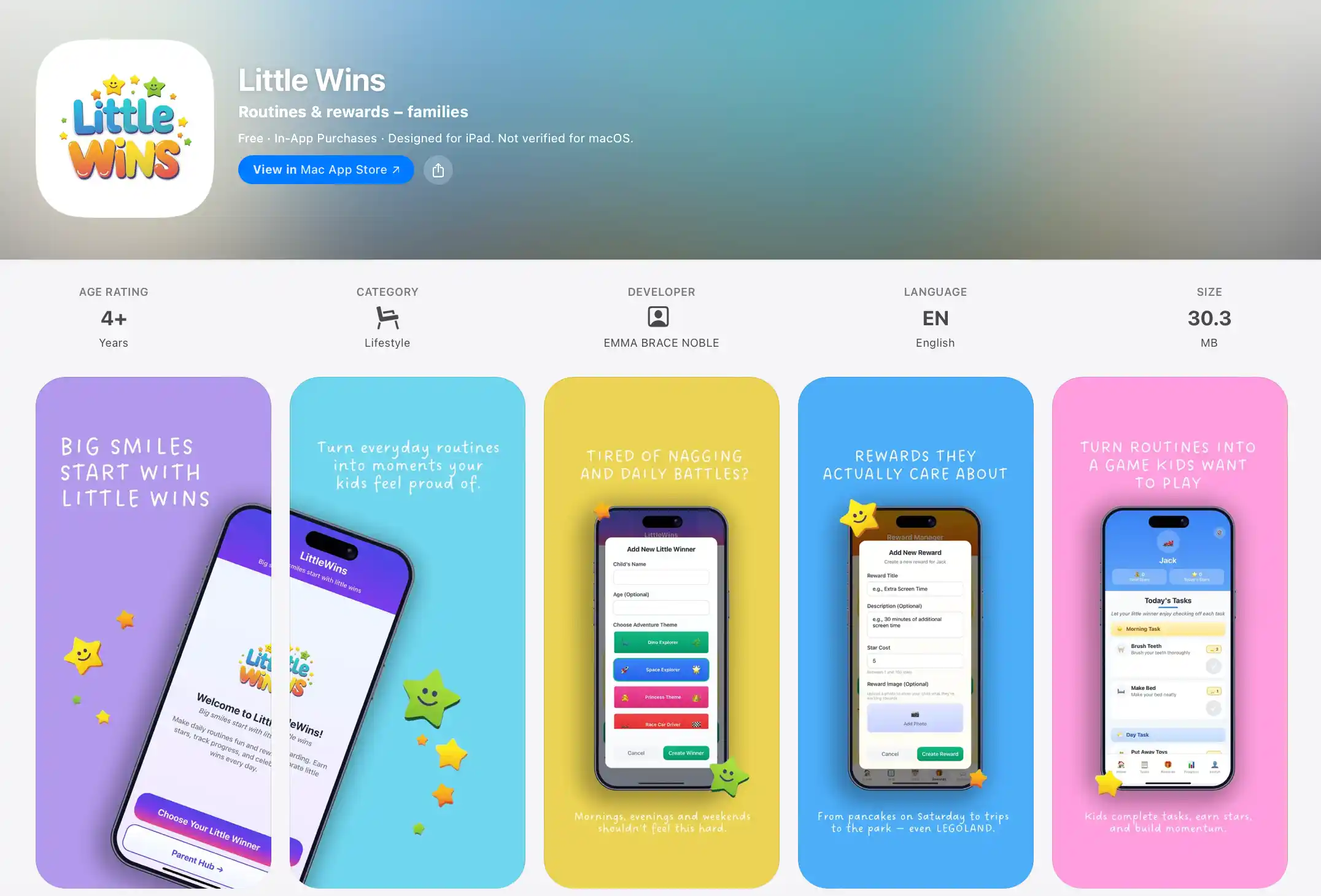
Little Wins is the most interesting new entry in the category in 2026. The AI adapts routines based on your child's progress, the task explanations are genuinely kid-friendly, and the rewards system is unique: kids pick their own rewards, which is a small but powerful piece of psychology — buy-in goes up dramatically when the prize is one the child actually wants.
Some parents find that the AI-driven adaptation can be unpredictable in the first week, and the free tier is more of a sample than a service — you'll need premium to unlock the personalization. The app is also newer, with a smaller user base, so long-term reliability is still an open question.
The "kids choose the reward" mechanic pairs well with First Gadget's psychologist-designed architecture. If you want a quick, AI-personalized routine for an older child (up to age 9), Little Wins is worth a look. For the core morning routine in a single app, our pick is still First Gadget.
Not ideal for: Families who want a stable, well-reviewed incumbent; users who need a fully featured free experience.
Our score: 13 / 18
#10 — Visual Schedule Daily Routine.
iOS-Only Budget Option
- Platform: iOS only
- Age: 3–10
- Price: Free with optional premium
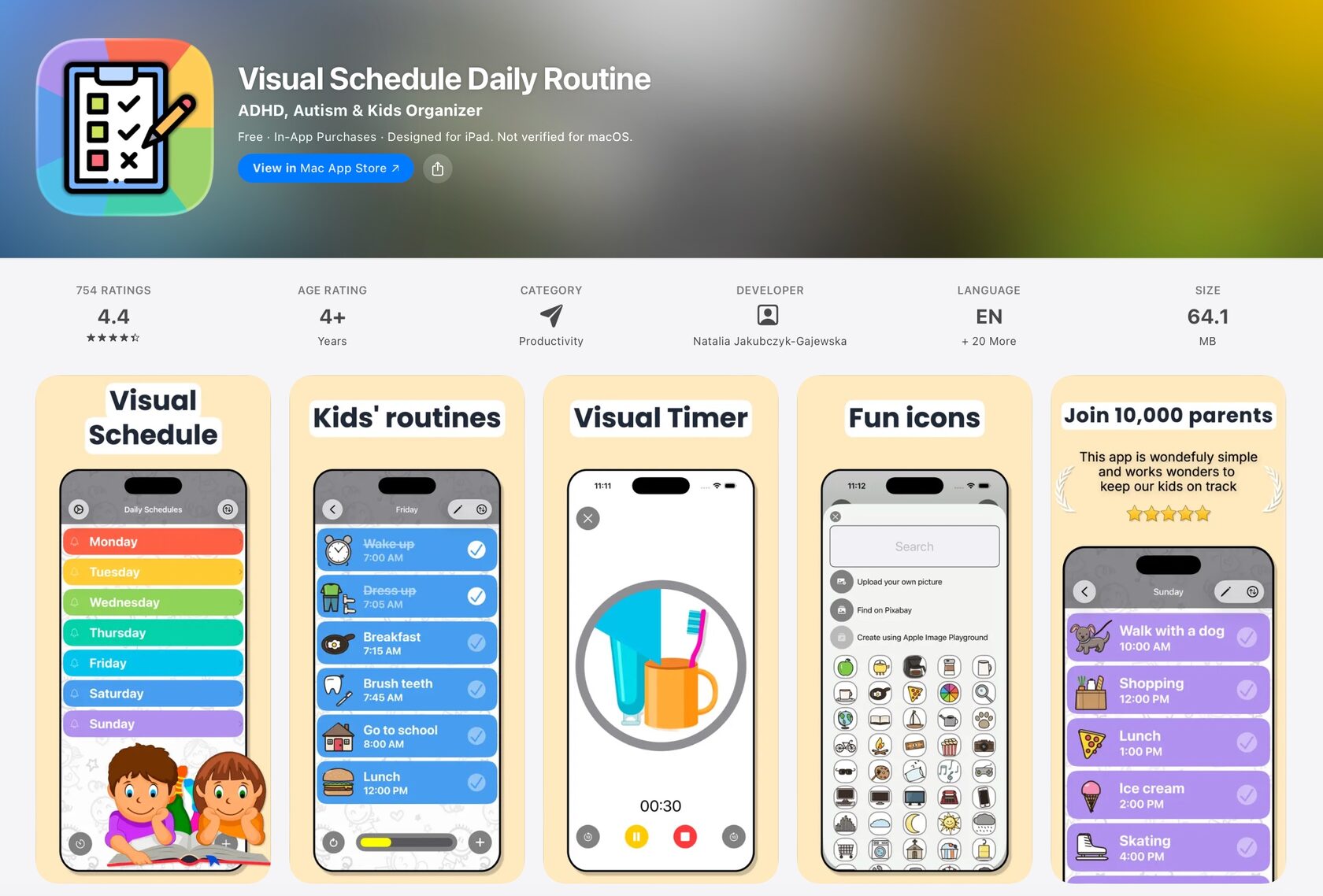
Visual Schedule Daily Routine is a straightforward, no-frills iOS app for families who want the basics: picture and icon-based scheduling, a timer per activity, multiple schedule boards, and an ADHD/autism-friendly design. With 700+ reviews, it has the social proof that newer apps lack, and the free version is genuinely useful.
The app is iOS-only, and the experience can feel dated next to newer entrants. The premium tier adds polish but isn't transformative. It's a workhorse, not a show pony — which is what some families want.
For an iOS household on a budget, Visual Schedule Daily Routine is a sensible choice. For families who want that same picture-based scheduling paired with a character-led Screen-to-Real handoff, First Gadget is the more modern, end-to-end morning experience.
Not ideal for: Android households; families who want a modern, character-led interface.
Our score: 12 / 18
Short Mentions: 5 Apps That Are Fine, But Not Our Top Picks
#11 — Time Timer.
Classic Visual Countdown
- Platform: iOS, Android
- Age: All ages
- Price: Free w/ IAP / physical $18–$35
Time Timer is the original visual countdown timer. The app brings the same iconic red disk to your phone or tablet. It's a tool, not a routine system — you'll still build the schedule yourself — but for visual learners anxious about time passing, the disappearing red wedge is genuinely calming. The physical Time Timer ($18–$35) is a classroom staple for a reason.
Not ideal for: Families who want a full morning routine system in one app.
#12 — Joon.
Gamified Chores for 6–12
- Platform: iOS, Android
- Age: 6–12
- Price: Subscription
Joon is built for the older end of the routine-app spectrum — kids 6 to 12 — and leans hard into gamification. Kids create an avatar, complete chores to level it up, parents get a real-time view of what's done. It's more like a video game that teaches responsibility than a routine app, which is exactly what some 9-year-olds need and what under-7s find overwhelming.
Not ideal for: Kids under 6; families who prefer low-stimulation design.
#13 — OurHome.
Free Family Chore Hub
- Platform: iOS, Android
- Age: 4–14
- Price: Free + premium
OurHome is less a morning routine app and more a family chore-management hub. Great for households with multiple kids and a long list of weekly responsibilities — points, leaderboards, the whole gamified household approach. For a single morning routine with a 5-year-old, it's overkill, but as a complement to a more focused app, it shines.
Not ideal for: Single-child households; families who want a morning-only tool.
#14 — Neat Kid.
Daily Chore Tracker for 5–8
- Platform: iOS, Android
- Age: 5–8
- Price: $79.99/year
Neat Kid is a focused daily chore tracker aimed at the 5–8 age band. Clean design, age-appropriate interface, solid routine structure. The price is the issue: $79.99/year is a serious commitment for a single-purpose chore tracker, and at that annual cost the math gets uncomfortable fast — especially for families with more than one child.
Not ideal for: Budget-conscious families; multi-child households.
#15 — iRewardChart.
Simple Reward Chart
- Platform: iOS, Android
- Age: 3–10
- Price: Free + IAP / ~$3.99 one-time
iRewardChart is the simplest app on this list, and that's not an insult. It's a digital version of the classic star-chart-on-the-fridge: assign tasks, mark them done, collect stars, exchange for a reward. For families who want a no-frills, low-tech-feeling digital chart, it's a perfectly serviceable option. It won't teach the child to transition off the screen with elegance, but for some families that's the point.
Not ideal for: Families who want a structured, character-led morning experience; kids who need explicit Screen-to-Real handoffs.
📊 At a glance: The 15 apps compared
The most successful morning-routine households we observed weren't the ones with the most expensive app. They were the ones that combined an app with one or two physical anchors — usually a visual timer and a wall calendar — so the child got the same message from three different directions.
How to pick the right app for your family
The short version: First Gadget for the Screen-to-Real everyday experience (our #1 pick, 18/18), Goally for a clinical-grade device, Brili for ADHD-specific timing, Choiceworks for therapist-built visuals, Happy Kids Timer for free.
Ready to try the #1 pick? Get First Gadget on the App Store →
❓ Frequently Asked Questions
What is the best morning routine app for kids in 2026?
First Gadget is the best overall morning routine app for kids ages 4–8. It combines visual routines, real-world tasks, and gentle gamification designed by professional psychologists — without ads, addictive mechanics, or in-app purchases. Alternatives: Goally (best for ADHD), Happy Kids Timer (best free), Brili Routines (best for families).
Are morning routine apps effective for kids with ADHD?
Yes. Visual schedule apps like Goally, Brili Routines, Lil Planner, and First Gadget are particularly effective for kids with ADHD because they provide structure through visual cues, timed transitions, and predictable sequences. These reduce executive function demands. Brili and Lil Planner are specifically designed for ADHD families and recommended by ADDitude Magazine and the autism-parent community on Reddit.
What age should kids start using a morning routine app?
Kids can start using visual routine apps as early as age 3 with parent guidance (Routiny). From ages 4–5, children can use First Gadget and Happy Kids Timer with more independence. By age 6–8, most kids can follow an app-based morning routine on their own.
Is there a free morning routine app for kids?
Yes, Happy Kids Timer is a free visual morning routine app for kids (iOS and Android). It includes pre-set routines for getting dressed, brushing teeth, and eating breakfast. First Gadget also offers a free tier with core routine features.
How do morning routine apps reduce chaos in the morning?
Morning routine apps reduce chaos by replacing verbal nagging with visual cues and timers. Kids see what to do next, how much time they have, and get instant feedback. This builds independence, reduces power struggles, and helps kids transition between tasks smoothly without constant reminders from parents.
Can a morning routine app replace a printed routine chart?
Yes, but with added advantages. App-based charts are customizable, include timers and sounds, can adapt as kids grow, and provide progress tracking for parents. Some families use both — a printed chart on the fridge plus an app for time-sensitive tasks.
What is the best morning routine app for kids with autism?
Goally is specifically designed for children with autism and ADHD, offering a dedicated tablet ($369–$449) with pre-loaded visual schedules and reward systems. Choiceworks ($29.99 one-time) is the therapist gold standard — recommended by OTs and SLPs across Reddit's r/slp and r/Autism_Parenting communities. Lil Planner, built by a parent of an ADHD child, is also excellent for neurodivergent children ages 3–10. All three use predictable visual sequences that reduce anxiety and build independence.
Are morning routine apps safe for young children?
The best morning routine apps (like First Gadget, Happy Kids Timer, and Routiny) are designed without ads, in-app purchases, or addictive mechanics — criteria aligned with Common Sense Media standards for children's apps. They use age-appropriate interfaces and are meant for short, focused sessions (5–10 minutes) rather than extended screen time. Always supervise young children and set screen time limits.
The bottom line
Most morning routine apps are digital sticker charts with a timer attached. They keep the child on the screen, they reward the child for being on the screen, and then the parent has to pry the device away — recreating the exact power struggle the app was supposed to solve.
The apps that work in 2026 are the ones with a clear theory of change. Goally's is clinical structure. Brili's is ADHD-specific time adaptation. Choiceworks's is therapist-led visual sequencing. First Gadget's is the Screen-to-Real handoff — the explicit moment where Kevin the Fox closes the quest, the child puts the tablet down, and the morning happens in real life.
If you have a neurodivergent child and need clinical-grade structure, the Goally tablet and Brili subscription are the right tools. If you're an iOS household that values therapist-built visual schedules and a one-time purchase, Choiceworks is still the gold standard. If you need a free visual timer for a 3-to-5-year-old, Happy Kids Timer is excellent.
But if you want the one app that scored well on every metric we measured — Overstimulation Risk, Clean Exit Quality, and Offline Skill Transfer — and the only one that treats the screen as a five-minute launchpad rather than a 30-minute destination, our pick is First Gadget.
The morning chaos is real. The coffee will eventually happen. And if Kevin the Fox can give you back ten minutes of sanity at 6:47 AM, that's a win worth installing.
About the Author
Ksenia Maenz is a child psychologist and co-founder of First Gadget. She has spent the past six years researching the intersection of child development, habit formation, and screen time — working with families across the US and Europe. Her methodology for evaluating children's apps draws on clinical frameworks from occupational therapy and behavioral psychology, and aligns with AAP screen time guidelines. She co-founded First Gadget in 2021 to give parents a tool that ends morning chaos without creating screen dependency.
Ksenia reviews and tests children's apps regularly. This article reflects her independent evaluation; First Gadget is her company and is noted as such throughout.